VPN for Twitter (X): Stay connected
The X VPN optimized for speed and efficient battery use so you can post on the go
- Keep up with conversations on X privately across shared networks
- Use X safely on public Wi-Fi with industry-leading encryption
- Log in to X as usual with ExpressVPN’s servers in 113 countries
30-DAY MONEY-BACK GUARANTEE FOR FIRST-TIME USERS
-

IPHONE/IPAD -

Android -

Windows -

Mac -

Linux -

Router -

Smart TV -

Game console
How to use ExpressVPN for Twitter
Set up your Twitter VPN in three simple steps
-
Step 1

Download the app for iOS or Android
Sign up for an ExpressVPN subscription and download the app to your device.
-
Step 2
Connect to a secure server location
Tap to connect instantly to one of 214 secure server locations.
-
Step 3

Log in to X and scroll freely
Open your Twitter (X) app to scroll feeds and post with secure VPN encryption.
24/7 customer support via live chat and email
Why use a VPN with Twitter (X)?
Use X with confidence across Wi-Fi, mobile data, and public networks
Access Twitter on school and office networks
Twitter (X) is blocked on many workplace and school networks due to institutional firewalls. This cuts you off from real-time news and messages from friends, or forces you to use your mobile data instead.
A VPN service encrypts your traffic and routes it through its own private servers, bypassing network filters that block X. Check your feed, post, and DM friends during breaks, without running out of mobile data.

Keep your Twitter connection private on public networks
Using X on unsecured networks exposes your connection to network operators, ISPs, or other parties monitoring traffic. On public networks, unencrypted activity is easier to intercept.
A VPN shields your connection with encryption, making it far harder for others on the same network to see or intercept your activity. This protects sensitive data, like your X login credentials, giving you more control over your online privacy.

Help reduce content-based ISP throttling while using Twitter
Are your videos buffering and live interactions out of sync while using X? It could be due to content-based ISP throttling. This is when your ISP slows your connection speed based on what you’re accessing online.
With VPN encryption, you prevent ISPs from seeing which sites and services you're accessing. This helps you avoid throttling, so images, videos, and live interactions perform as they should on your connection.
Troubleshooting if your Twitter VPN isn’t working
Get back in the conversation fast with these top tips

Switch servers or protocols if X won’t connect
If X won’t load or you can’t log in, it could be due to your current VPN IP address being flagged or a network restriction issue.
Switch to a different server to refresh your IP address, or change VPN protocol in your settings. ExpressVPN’s Lightway is recommended for its reliability and fast reconnection, especially useful when switching between Wi-Fi and mobile data.

Clear the cache and switch servers if your feed buffers
Sometimes X loads but images and videos are slow to load or missing. The issue could be congestion on the X server you’re connected to, or outdated cached data on your device.
Choose another VPN server location to try a different route, and clear your browser or app cache so X reloads with a fresh connection. This can help make your feed feel responsive again.
What to look for in a Twitter (X) VPN
Choose a reliable and secure VPN built for using X on the go

Proven reliability during high-traffic events
Major announcements and breaking news can draw millions to X at once, sometimes slowing down or disrupting connections. While ExpressVPN can’t improve Twitter’s servers during platform congestion, it won't slow you down on your end.
Built for fast, responsive connections even under heavy demand, ExpressVPN keeps your side of the connection ready when the news breaks.
Strong encryption for public Wi-Fi
Public Wi-Fi is convenient, but rarely secure. Shared networks make it easier for others to intercept unprotected traffic. ExpressVPN uses 256-bit AES encryption to protect your data from anyone sharing the same network.
A kill switch adds another safeguard by blocking internet traffic if the VPN disconnects. You can check travel updates or post on the move with peace of mind that your data isn’t traveling unprotected.
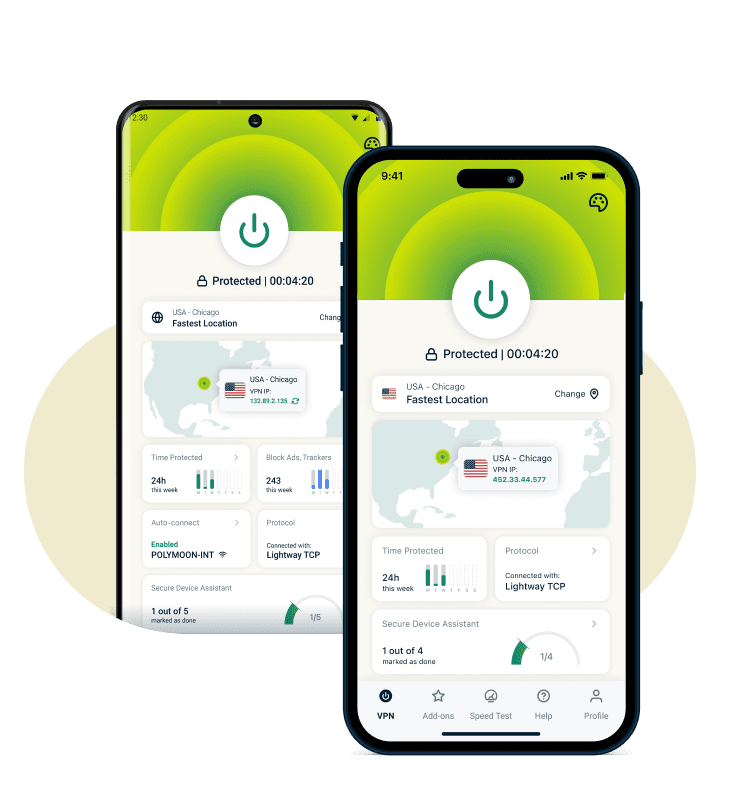
Mobile-optimized apps that save battery
ExpressVPN’s Android and iOS apps automatically use our efficient Lightway protocol with streamlined background processes to minimize battery impact while maintaining strong protection.
Scroll, watch videos, and follow live conversations without your VPN being a constant drain on your battery.
ExpressVPN Features for X Users
Built for fast, reliable use on mobile devices and networks around the world

Servers in 113 countries with 214 locations
When you travel or work abroad, your regular feed and Explore tab might look unfamiliar. That’s because X determines the content and recommendations you see based on various signals, including your location.
ExpressVPN has servers in 214 locations. Connect to a server in your home region to maintain secure and private access to the content and communities you normally engage with, wherever life takes you.

Block third-party trackers the X app may contact
Like many apps, X may connect to third-party domains for analytics, advertising, or embedded content. These background requests share data about your app usage beyond what’s needed for the core experience.
ExpressVPN's advanced protection helps block tracking and malicious domains at the DNS level. This gives you an additional layer of privacy by limiting certain types of background data sharing with third-party trackers.

Lightway protocol for instant connection
Delays break the flow of live threads, conversations, and breaking news. ExpressVPN’s Lightway protocol is designed to connect quickly, so your X feed loads without unnecessary waiting.
Lightway also reconnects fast when you switch networks. That means fewer interruptions for video playback, and reliable posting as you move from home to work—and everywhere in between.

24/7 live chat support
When you can’t log in to X or your feed buffers and struggles to load, you miss what’s happening in the moment. Searching forums or digging through support pages only causes frustration and delay.
ExpressVPN’s 24/7 live chat gives you immediate access to experts who can help troubleshoot in real time. Get help faster, without wasting time scrolling for answers while the conversation on X moves on.
Can you use a free VPN for Twitter?
With a free VPN Twitter users face privacy concerns and frustrating limits

Why free VPNs may sell your browsing data
Free VPNs often rely on advertising or data-sharing to fund their services, with weak privacy protections. When you use X, that can mean details about how and when you scroll or post are logged and shared with third parties.
Independent firms like KPMG audit ExpressVPN to verify that we adhere to our no-logs policy and that our TrustedServer technology is designed to never write browsing activity to disk. You can use X knowing your activity isn't being logged or sold.

Connection limits and slow photo loading
Free VPNs often restrict bandwidth or throttle speeds. You have to wait forever for images and videos to load, or get completely cut off, even when you use X’s data saver mode.
ExpressVPN provides unlimited bandwidth without any data caps on our end. Relax and scroll memes from your friends and watch high-quality videos all day. All without toggling on X’s data saver, or constantly worrying about being cut off.
See why millions choose ExpressVPN
These satisfied customers share their experiences
-
Absolutely fantastic. It was the perfect solution for connectivity issues in a game I've been playing recently.
J B


-
ExpressVPN is the perfect all around VPN service for your network security needs.
Dirt_Reynolds


-
ExpressVPN is the fastest VPN I've found. It shows you the fastest server you can connect to, and a list of alternate servers.
Christopher Gilmer
-
#1 Best VPN 2026 & Best Gaming VPN
ExpressVPN is the best Gaming VPN right now, thanks to its impressive speeds, excellent privacy protections and expansive global network of servers.

-
Editor’s Choice Award 2026
ExpressVPN’s expansive network and dedication to staying on the forefront of encryption tech earn it an award.

-
#1 Best VPN for the U.S. 2026
ExpressVPN is the best VPN for the U.S. right now. It has VPN servers in every American state, excellent security, and a simple user interface.

-
 Rated 4.4 out of 5
 -
 Rated 4.7 out of 5






Frequently asked questions
Find out what you need to know about using an X VPN
Does a VPN work with the X app?
Yes. An X VPN works with the X app on iOS, Android, and desktop. It protects your connection while you scroll, post, keep up with breaking news, and watch videos on X.
Why can't I access Twitter at work or school?
Workplaces and schools often block social platforms to manage bandwidth or productivity. A VPN routes your encrypted traffic through its servers, which can help you access X on restricted networks. The network sees VPN traffic but can't identify you're accessing X specifically.
Is it legal to use a VPN for Twitter?
Yes, in most countries using a VPN for Twitter is legal. VPNs are widely used for privacy and security, particularly while using public Wi-Fi. However, it’s always best to check regulations in your location, as well as X terms of service.
Will a VPN change my Twitter trends location?
Using a VPN may affect how your feed appears, but Twitter uses multiple signals to determine trends. Your account settings, activity, and preferences still play a major role in what trends you see.
How to use VPN for Twitter?
Install the ExpressVPN app for your device, connect to a server in a location of your choice, then open Twitter as usual. Once connected, your traffic is encrypted, securing your connection from home or while using shared networks.
Why is my Twitter VPN not working?
If your X VPN isn't working, it could be due to X's server congestion, local network restrictions, or outdated cached data on your device. Try switching to a different VPN server location, changing your protocol to Lightway in the settings, and clearing your browser or app cache to refresh your connection.
Try ExpressVPN for Twitter risk-free
Take advantage of our 30-day money-back guarantee* for all new customers
*Users who purchased their subscriptions through the Apple App Store (iTunes) or the Google Play Store do not have access to the ExpressVPN 30-day money-back guarantee. Instead, users can request refunds through the App Store or Play Store, at Apple’s or Google’s discretion.