 Celebrate with up to 80% off
What is a safe username? How to create one that protects your privacy


Usernames often look like simple account labels, but they can carry more identity value than expected. A careless choice can make a profile easier to interpret outside the platform where it first appears.
A safe username limits that exposure without making the account hard to use.
Why usernames matter for online privacy
A safe username fits the purpose of the account without exposing unnecessary personal information. While it doesn’t increase account security directly, a safe username reduces how much information the username itself communicates to other people.
Many online services place usernames in visible areas such as profile pages, forum replies, multiplayer sessions, review pages, and shared links. And unlike a password for an online account, a username is designed to be seen, which means anyone can record it, search for it, or look for it elsewhere.
As a result, over time, a username can become part of your digital footprint, especially in cases where users intentionally keep the same handle everywhere for branding or consistency. If the same handle appears across multiple platforms, those traces can be connected even when the accounts were never meant to be linked.
Risks of unsafe usernames
Unsafe usernames can cause problems in ways that aren't obvious at signup, including:
- Search result exposure: Public posts, reviews, or profiles tied to a username can surface in search results, making old activity hard to separate from a current identity.
- Reputation damage: Casual, offensive, or immature usernames can look worse outside their original context. A joke handle from years ago may not read the same on a public profile today.
- Targeted manipulation: A username can become a small piece of open-source intelligence (OSINT) and help scammers craft messages that seem personally relevant. This, in turn, can make phishing attempts harder to spot.
- Easier guessing attempts: A revealing username gives attackers a starting point for account-recovery abuse, where someone uses personal details to reset credentials they don't own.
- Unwanted attention: A recognizable handle can make it easier for someone to continue contact after one interaction. Combined with other exposed details, like an email address found on the dark web, it can make someone significantly easier to target in, for example, doxxing attacks.
Signs your username reveals too much
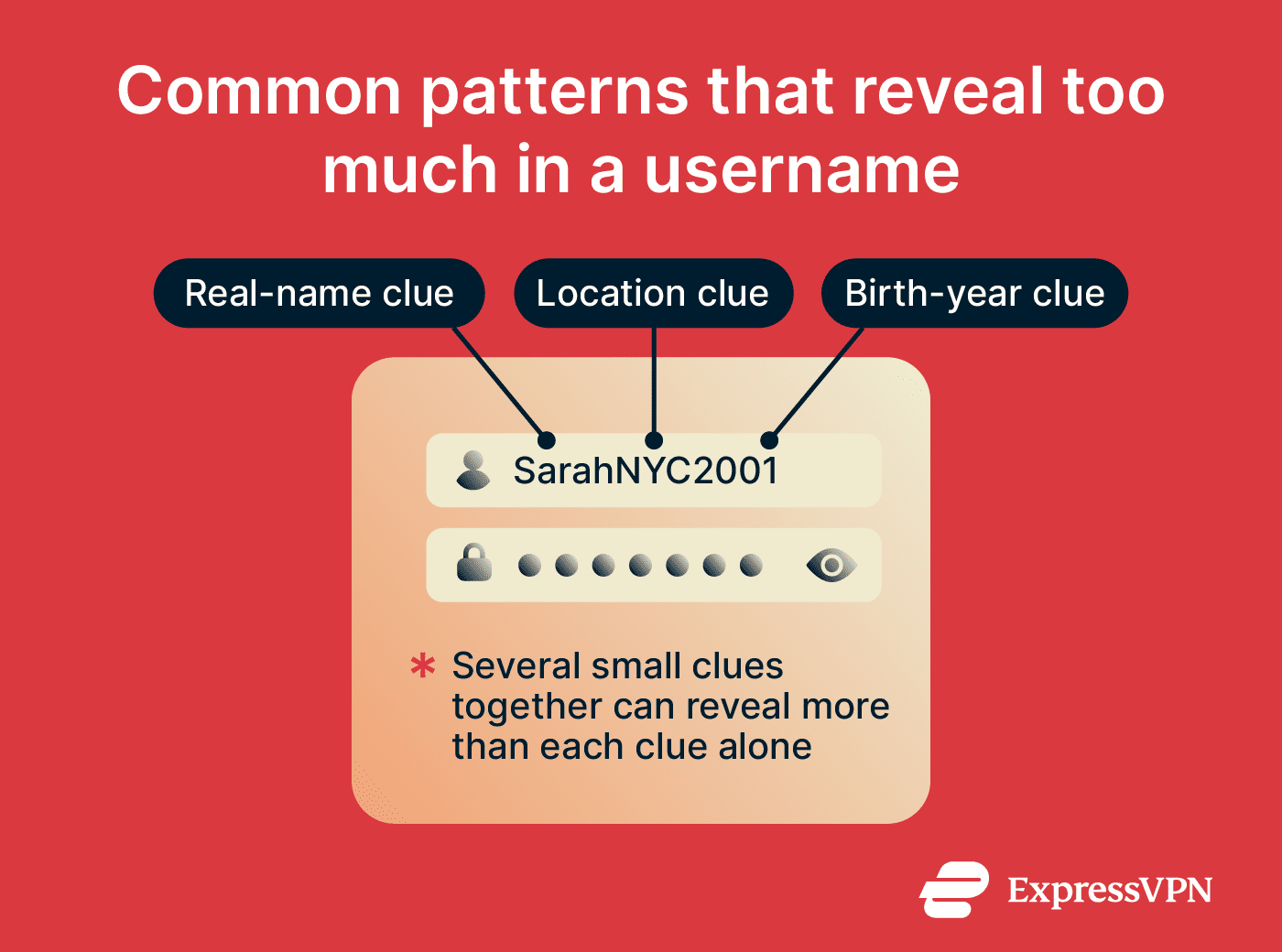
If a username contains any of these patterns, it may carry more identity context than the account needs.
- Legal-name details: Personally identifiable information (PII), such as full names, initials paired with a surname, etc.
- Date-based clues: Birth years, age references, graduation years, anniversaries, or repeated numbers that point to a personal date.
- Location markers: City names, local abbreviations, area codes, school names, workplace references, or regional slang tied to a small area.
- Identity-linked interests: Niche communities, political labels, health references, or personal causes that someone may not want connected to other accounts.
- Contact-pattern clues: Usernames that match the first part of an email address, repeat a social handle, or follow the same structure across many sites can weaken social media privacy.
- Security-question hints: Pet names, maiden names, hometowns, favorite teams, or other details that platforms sometimes use for account recovery.
How to create a safe username
Creating a safe username involves three steps: choosing a base, modifying it if needed, and deciding where it should and shouldn't appear.
Start with unrelated words or interests
Choose a base word or phrase that can stand on its own as a label without describing who you are. Objects, colors, animals, weather terms, and broad concepts all work — they give the username shape without making it personal.
A name like "CedarLantern" works because nothing in it points to a real identity. The same applies to combinations like "OrbitSketch" or "MossRunner."
Be careful with references that only a small group would recognize. A username built around a niche game, a specific event, or an inside term can signal membership in a community even when it looks neutral on the surface.
Add variation without revealing personal details
If your first choice is taken, change the format rather than reaching for personal details to make it unique. Any modification should keep the username available without making it more revealing.
- Pair two neutral words: Combine simple terms that don't describe your identity, such as VelvetOrbit or CedarPixel.
- Use numbers carefully: Pick digits that don't resemble a date, place, or contact detail.
- Add a short neutral suffix: Words like "map," "node," "trail," "frame," or "field" can make a taken username more distinct.
- Use separators sparingly: Dots and underscores can improve readability, but too many symbols make a username harder to type and remember.
- Change spelling only when it stays clear: A small spelling shift can help availability, but avoid versions that look like typos or become difficult to recall.
Keep usernames different across important accounts
Accounts that serve different roles carry different levels of exposure, so they shouldn't share the same username or naming pattern.
Start with your most sensitive accounts, such as work tools and private communities, and make sure none of them share a username. From there, group the rest by purpose: public-facing accounts where recognition matters can share a consistent handle, but private or everyday accounts shouldn't follow the same pattern.
For an extra layer of separation, email masking can prevent your primary inbox from being linked to accounts you'd rather keep separate. For example, ExpressMailGuard lets you create email aliases for different accounts, so your primary inbox isn't directly linked to every service you sign up for. If an alias gets compromised, you can disable it without exposing your real address.
Common username mistakes to avoid
A good username should protect your privacy, but it should also be easy to read, remember, and use over time. Some username choices may not reveal sensitive information directly, but they can still make an account harder to find or less trustworthy. Here are some common mistakes to avoid:
- Making the username hard to read: Excessive numbers, repeated symbols, random capitalization, and character substitutions can make a username confusing to type, search, or remember.
- Using trend-based references: Slang, memes, temporary internet jokes, and short-lived fandom references can age quickly and make older accounts look outdated.
- Copying platform-generated suggestions: Some services generate usernames from names, numbers, or account details automatically. People often accept them without checking what information they expose.
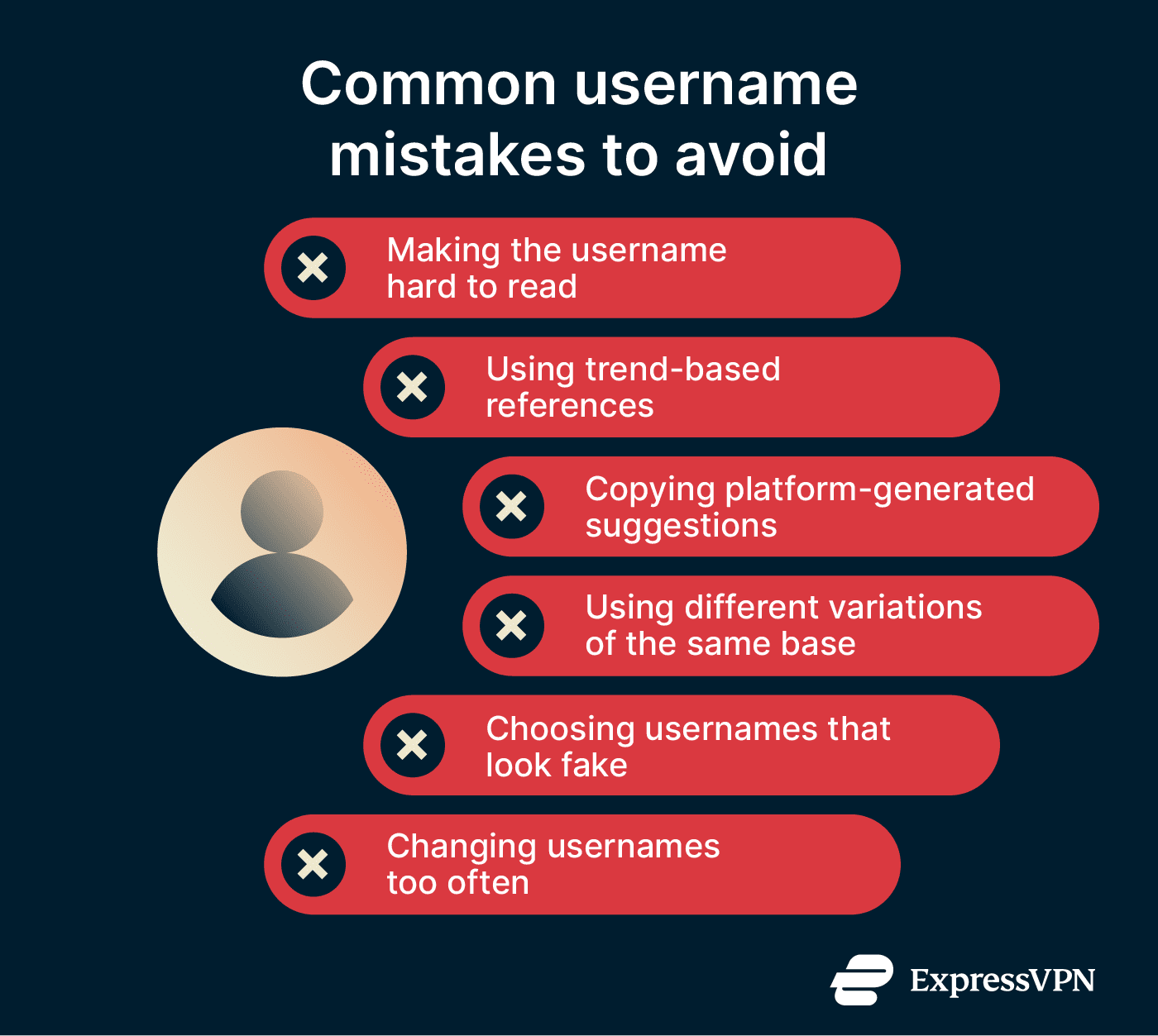
- Using different spellings of the same base name: Slight variations like "AlexWave," "AlexWave1," and "Alex_Wave" still create recognizable patterns across platforms.
- Choosing usernames that look fake or suspicious: Extremely random strings, misleading brand-like names, or impersonation-style usernames may trigger moderation systems or reduce trust on public platforms.
- Changing usernames too often: Frequent changes can create confusion across communities, break recognition on long-term accounts, and leave old usernames archived in mentions or profile links.
Strong username examples
As mentioned earlier, a strong username depends on where it appears. A name that works for a public portfolio may feel too revealing for a private forum, while a fully anonymous handle may look out of place on a work profile.
Safe username examples for everyday use
Everyday usernames usually need a plain, low-friction style. These fit casual accounts like streaming services, shopping sites, review pages, hobby apps, and low-stakes communities.
- RainyParcel
- PixelHarbor
- CopperNotebook
- SoftCircuit
- MapleCursor
- SilverBookmark
- CloudyButton
These examples combine familiar words to create usernames that are memorable, neutral, and easy to recognize without revealing personal information. They also avoid the common "random string" problem, where a username becomes difficult to remember because it relies on unrelated letters, numbers, or symbols.
Professional username examples
Professional usernames should be clear enough for people to recognize on LinkedIn, portfolio sites, GitHub, byline pages, work tools, and industry communities.
- FirstNameLastName
- InitialLastName
- NamePortfolio
- NameDesign
- NameStudio
Whenever possible, using your real name or a close variation is usually the strongest professional choice because it improves discoverability and credibility.
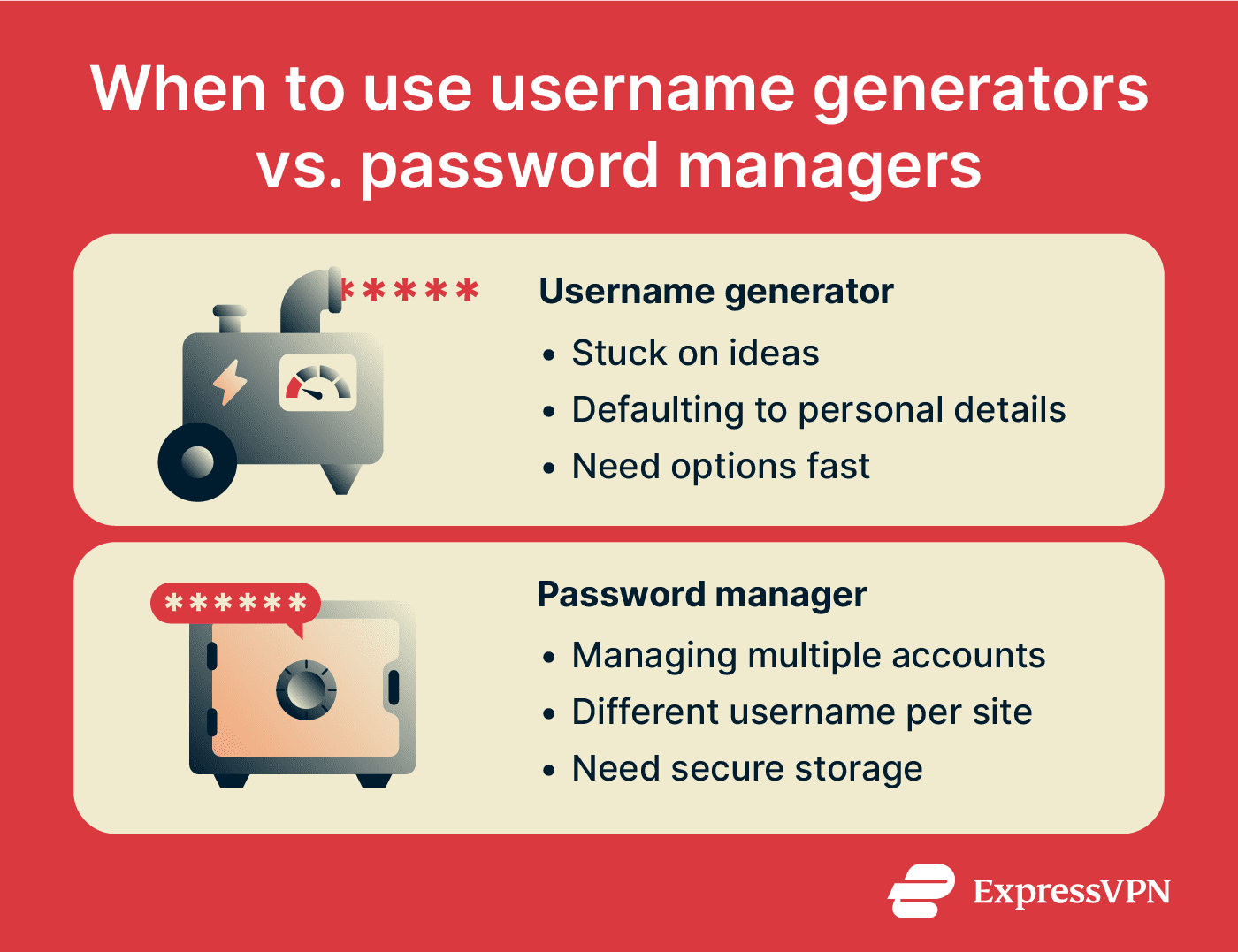
Username generators and password managers
Most people use dozens of online accounts across social media platforms, shopping websites, streaming services, forums, apps, and work tools. As the number of accounts grows, two common challenges appear: finding available usernames and keeping track of the login details attached to each account.
Username generators and password managers help solve these problems.
Tips for using username generators
Username generators can provide fresh ideas when preferred usernames are unavailable or difficult to create manually. By combining words, themes, naming styles, or random elements, these tools can quickly generate a wide range of alternatives.
They also reduce the temptation to rely on predictable patterns, such as repeatedly adding numbers or extra characters to an existing username.
To use them safely and effectively:
- Review generated suggestions before using them.
- Match the username to the purpose of the account.
- Avoid sharing unnecessary personal information with the tool.
- Check platform rules regarding length limits and allowed characters.
Tips for using password managers
Password managers like ExpressKeys help organize account information across multiple services. Instead of relying on memory, users can store usernames, email addresses, passwords, and related notes in a single location.
This is particularly useful when different websites use different login methods or when accounts have been created over many years.
Here are some tips to help you get the most out of a password manager:
- Store account details as soon as a new account is created.
- Keep usernames and passwords attached to the correct website entry.
- Update saved information when login credentials change.
- Use account notes for recovery details or login requirements.
- Protect the password manager with a strong master password and available security features.
Safe username checklist
Before committing to a username, it helps to step back and check how it behaves outside the signup form. A name that looks fine in isolation can feel very different when it appears in links, comments, or search results.
This checklist helps catch issues that are easy to miss during creation.
Before using a new username
- Search the username first: Run a deep search to see where you appear publicly, including old forums, marketplaces, or social platforms.
- Read it without context: Make sure the username still looks clear when it appears alone in a profile URL, comment thread, or review page.
- Try it on different keyboards: Check whether the username feels easy to enter on desktop and mobile before using it.
- Check platform restrictions: Some services limit length, symbols, spacing, capitalization, or future name changes. Confirm the format works before committing to it.
- Look for accidental wording: Word combinations can create unintended slang, hidden words, or awkward meanings when they appear without spaces.
- Check how permanent the choice is: Some platforms limit future username changes. Be stricter if the service makes changes difficult or impossible.
When updating an old username
A username update should cover both the account settings and the places where people may still encounter the old name.
- Review where the old name appears: Check profile pages, old comments, tagged posts, mentions, shared links, and search results.
- Update high-visibility accounts first: Prioritize accounts tied to current work, public communities, or long-term profiles that people still visit.
- Update saved login records: Change the stored username in password managers, browser autofill entries, and account notes to avoid sign-in issues.
- Handle public transitions carefully: Creator, work, or community accounts may need a short bio note or pinned post so followers recognize the change.
- Record the reason for the change: Add a short note in your password manager or account notes so the old and new usernames stay easy to track later.
- Check whether old URLs remain active: Some platforms keep previous usernames in profile links, redirects, tags, or quoted replies after a name change.
FAQ
Can someone identify me from my username?
Should my username match my real name?
Is it safe to use the same username for gaming and social media?
Should I use numbers or symbols in my username?
How often should I change my usernames?
Can a username affect account security?