 Celebrate with up to 80% off
Is APKPure safe? What to know before downloading APKs


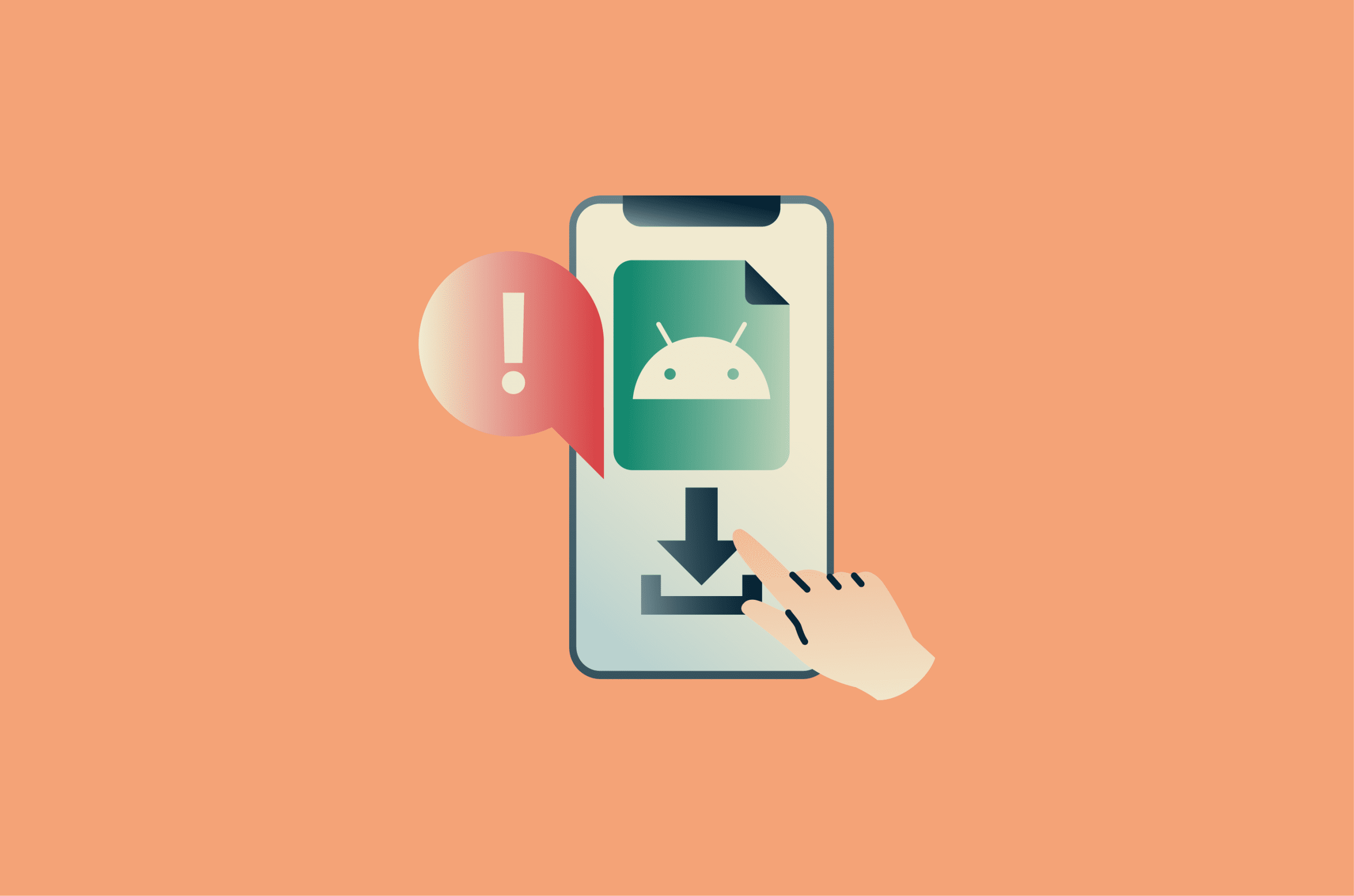
APKPure provides access to Android apps outside official app stores, but using third-party APK platforms comes with security and privacy trade-offs. These platforms don't go through the same review systems as official app stores, so you face a higher risk of downloading modified, outdated, or malicious files.
Please note: This article is intended to help readers understand general safety and legal considerations around downloading apps from third-party sources. It should not be treated as legal advice. Laws, copyright rules, and app terms can vary depending on the country, platform, and specific app involved.
What is APKPure?
APKPure is a third-party Android app store that offers APK and XAPK files for Android apps and games. APK files are Android's installable app packages, while XAPK files are larger bundled packages that may include additional app data.
APKPure lets developers submit apps through its developer platform and makes apps available through both its website and Android app. Unlike downloading from Google Play, users may receive the app package directly and install it outside Google Play's normal store flow.
This usually requires allowing installs from "unknown apps" or another non-Play source, depending on the device and Android version. That does not turn off all Android security protections (Google Play Protect can still scan apps from outside Google Play), but it does bypass Google Play's standard review and distribution process, which can increase the risk of installing fake, modified, outdated, or unsafe apps.
Why people use APKPure
People use APKPure because it can include both apps that aren't available to them through the Play Store and APK files that developers have chosen to distribute directly.
Some users also use APKPure to roll back to older app versions when a newer update removes features or causes problems on their device.
However, because APKPure sits outside official app store delivery systems, its safety depends heavily on how files are sourced, packaged, and checked before they're made available.
How APKPure verifies app files
APKPure states that it checks apps before making them available. This includes checking the app's digital signature, which works like a unique fingerprint created by the developer. If the signature matches a known developer-approved version, it suggests the file hasn't been altered.
However, signature checks have limits. They can help confirm whether a file matches a known version, but they don't guarantee that an app is safe. They may miss threats that are new, heavily modified, or signed in a way that appears valid.
APKPure also uses automated scanning, third-party security tools, its own systems, and user feedback to detect potential threats. Apps that pass these checks are labeled as secure. However, this label reflects APKPure's internal review process rather than the level of scrutiny used by official app stores.
The platform partly depends on uploaders to provide clean and accurate files, too. Developers are expected to upload original APKs that haven't been modified, but this still adds a layer of trust in the source of the file.
Is APKPure safe to use?
APKPure sits in a gray area when it comes to safety. It isn't inherently malicious, but it carries more risk than official app stores.
APKPure's checks may reduce the risk of tampered or malicious files, but they don't remove them. As with any third-party APK platform, unsafe or altered files can still slip through, especially if they're newly modified or not yet detected by security tools.
Past malware incident
In 2021, APKPure experienced a security incident where a version of its app was compromised. Malicious code was inserted into the app and distributed to users before it was discovered and removed.
Once active, the malware, a Trojan called Triada, could perform a range of actions, including displaying intrusive ads, opening unwanted browser pages, collecting device information, and downloading additional malicious software in the background.
Even though the incident was addressed, it raised broader questions about how third-party platforms manage security. This type of risk isn't exclusive to APKPure. Similar issues have been seen across other "grey area" platforms where apps or components rely on external libraries or advertising tools.
Following the incident, APKPure released an updated version of its app (3.17.19) to fix the issue. It also introduced additional security checks intended to strengthen its screening process and reduce the likelihood of similar problems in the future.
While these steps improved APKPure's overall security, no third-party platform can fully eliminate risk due to the open nature of APK distribution.
Related: How to prevent the download of malicious code? Top strategies to consider
Common safety risks to consider
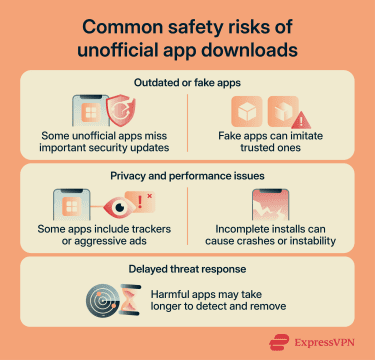
Downloading APK files from third-party platforms can expose users to risks that are less common in official app stores. These risks vary by source, app, and version, but they often include:
- Outdated or unsupported apps: Some hosted APK files may not receive regular updates. This can leave known security issues unpatched, making the app more vulnerable over time.
- Fake apps: Malicious actors may upload apps that mimic popular ones by copying names, icons, or descriptions. These can look legitimate at first glance but behave very differently once installed.
- Hidden trackers or aggressive ads: Some apps may include tracking tools or adware that collect more data than expected or disrupt normal device use. This doesn't always qualify as malware, but it can still affect privacy and performance.
- Broken or incomplete installations: Manually installed apps don't always work as intended. Missing files, compatibility issues, or package errors can lead to crashes or unstable behavior.
- Delayed security response: If a harmful app appears, it may take longer to be identified and removed than it would in an official app store.
Is APKPure legal?
APKPure is not inherently illegal to visit or use, but the legality of a specific download depends on the app, source, license, country, and how the file is distributed. Some files may be modified, copied, or shared without permission, which can make individual downloads legally questionable. This makes it important to understand:
- Copyright restrictions and terms of service violations: Many apps are protected by copyright. Developers may limit how their apps can be distributed. If an APK is redistributed without the developer's permission, it may violate copyright, even if the app is free through official channels.
- Payment and licensing rules: Some APKs may be shared as free downloads even when the original app is paid or license-restricted. Legal issues are more likely in these cases, since bypassing payment systems, license checks, or developer agreements can violate local laws and platform terms.
- Regional restrictions: Some apps are licensed or offered only in certain countries. Downloading them through unofficial channels may violate the app's terms, bypass intended distribution limits, or cause the app to stop working properly.
Lower-risk cases for downloading APKs
Downloading an APK is typically allowed when the app is free, properly authorized, and used within the developer's terms. Common examples include:
- Free and open-source apps: Some hobby developers distribute their apps outside official stores on purpose. These apps are often free to use and openly shared.
- Older versions of apps: Developers sometimes remove or replace older versions on the Play Store. Downloading a previous version may be allowed if it's still offered without restrictions.
- Direct downloads from developers: Some developers provide APK files on their websites or send them to APKPure for distribution. In these cases, downloading is intended and permitted.
Note: The legality of app distribution can change over time, depending on updates to laws, licensing agreements, and platform policies. If you're unsure whether an app or APK source is permitted in your region, check the app developer's official distribution channels or your local app store guidelines before downloading.
APKPure vs. Google Play
To better understand how APKPure differs from official app distribution, it helps to compare it directly with Google Play. The table below highlights key differences in how each platform operates, especially in terms of security, app distribution, and overall risk.
Important: The table isn't meant to present APKPure and Google Play as equal alternatives. It shows why third-party APK downloads involve more security and privacy risk than apps installed through an official store.
| Aspect | APKPure | Google Play |
| Distribution model | Third-party APK hosting and distribution | Centralized official Android app store |
| App verification | Limited and inconsistent checks depending on the source APK | Strict pre-publication review and automated scanning |
| Security screening | Basic scanning for known threats, less comprehensive validation | Multi-layered security system (including Play Protect and automated malware detection) |
| Update delivery | Manual or dependent on third-party app updates | Automatic, controlled updates through Google Play |
| Risk of modified apps | Higher risk due to external sourcing and repackaged APKs | Lower risk due to a controlled developer publishing process |
| Account and ecosystem control | No unified account system or enforcement layer | Integrated with Google account security and device protections |
| Overall risk level | Higher exposure to unverified or tampered files | Lower risk due to a controlled ecosystem |
How to tell if an APK is legit
A few simple checks can help separate trustworthy APK files from risky ones.
Download it from an official source
Download APK files from the developer's official website or verified distribution channels and avoid relying on third-party reuploads when possible, even if they appear on well-known APK repositories like APKPure. This is because third-party copies may not always come directly from the original developer.
Check the listing details
If you're downloading from APKPure, review the information shown on the app page, including the developer or publisher name, version number, required Android version, category, file size, and content rating. These details can help you spot listings that look incomplete, inconsistent, outdated, or unusual.
Check the APK's digital signature
Android apps are digitally signed before they can be installed or updated. This signature helps confirm that an APK was signed by the same developer key as other versions of the app.
APKPure also uses signature checks as part of its own safety process. It says it verifies apps before publishing and checks whether the cryptographic signatures for new versions match the original app, which helps detect APKs signed by someone pretending to be the developer. APKPure also offers an APK Signature Verification tool, which it describes as a way for users to check an Android app package signature before installation.
Review app permissions carefully
Every app requests access to certain features on a device. These permissions should generally match what the app is meant to do. For example, a messaging app may need access to contacts, while a camera app may need storage access.
Pay attention to permissions shown during installation and to permission prompts that appear when the app is first opened or used. Be cautious and reject permissions if an app asks for excessive or unrelated ones, such as a flashlight app requesting access to contacts, call logs, or SMS messages. This type of mismatch can be a warning sign that something unnecessary or hidden may be happening in the background.
Check the security report
APKPure may provide a VirusTotal report for an APK file, showing whether security engines flagged it at the time of scanning. A clean result can be a useful signal that an APK is legit, but it doesn't prove the app is safe. New, modified, or harder-to-detect threats may still be missed.
Scan the file before installing
Device-level security tools can analyze APK files for known threats. Scanning the APK file with an antivirus program before installation adds an extra layer of protection and can help catch suspicious files early.
Tip: Unexpected pop-up ads, sudden slowdowns, unfamiliar apps, or unusual background activity can be warning signs of malware.
If these signs appear after installing an APK, it's worth checking the device for suspicious apps and running a scan with a trusted mobile security app. For more detailed steps, see our guide on how to remove malware from an Android device.
Best practices for downloading APKs safely
Downloading APK files can be done more safely when a few basic precautions are followed.
First of all, modded and cracked apps should be avoided. They are often changed in ways that are hard to detect. These versions can include hidden code that may compromise data or device security.
It's also important to keep Android and app components updated. Android updates, Google Play system updates, and security patches can fix vulnerabilities that malicious or poorly built APKs may try to exploit. This matters more when installing apps outside official stores, because the file may not benefit from the same update checks or protections.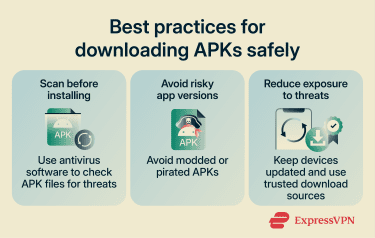
Are there safer alternatives to APKPure?
The safest alternatives to APKPure are official app stores that are fully controlled and reviewed by device manufacturers or platform providers. Namely:
- Google Play: The Google Play Store is the main official source for Android apps. Every app goes through automated security checks and policy reviews before being published, and updates are delivered directly through the system.
- Huawei AppGallery: It uses its own verification and security review process to screen apps before publication. It can also be installed on many Android devices, although some features may be limited depending on system compatibility and Google services support.
- Samsung Galaxy Store: It includes apps optimized for Samsung hardware and follows Samsung's own security and review standards. It's primarily designed for Samsung devices and won't work properly on other Android phones.
- Xiaomi Mi GetApps: On Xiaomi devices, Xiaomi Mi GetApps comes pre-installed. Apps are reviewed before listing, and updates are managed through Xiaomi's system. It's mainly intended for Xiaomi devices and won't work correctly on other phone brands.
There are also alternative app stores that aren't tied to device manufacturers but focus more on privacy and open access. One example is Aurora Store, which acts as a privacy-focused front end for Google Play content. It allows users to download apps with fewer account requirements, but it still relies on Google Play listings in the background rather than hosting apps independently.
FAQ
Can APKPure apps contain malware?
Is APKPure safer than mod APK sites?
Can Google Play Protect catch unsafe APKs?
Should you use APKPure without antivirus protection?
What should you do if an APK looks suspicious?
Is APKPure a good option for older Android apps?