DNS security: How to protect your network from DNS threats


Every network relies on the Domain Name System (DNS) to keep traffic flowing and users connected. But DNS is also a prime target for cyberattacks, from phishing and malware to hijacking and service outages. Left unprotected, these threats can disrupt operations, compromise sensitive data, and put your organization at risk.
Fortunately, there are various DNS security tools and techniques to counteract this, improving the security of DNS servers and data and safeguarding devices and networks against cyberattacks. This guide covers various types of DNS-based attacks, DNS security tools, and how to implement them.
What is DNS security?
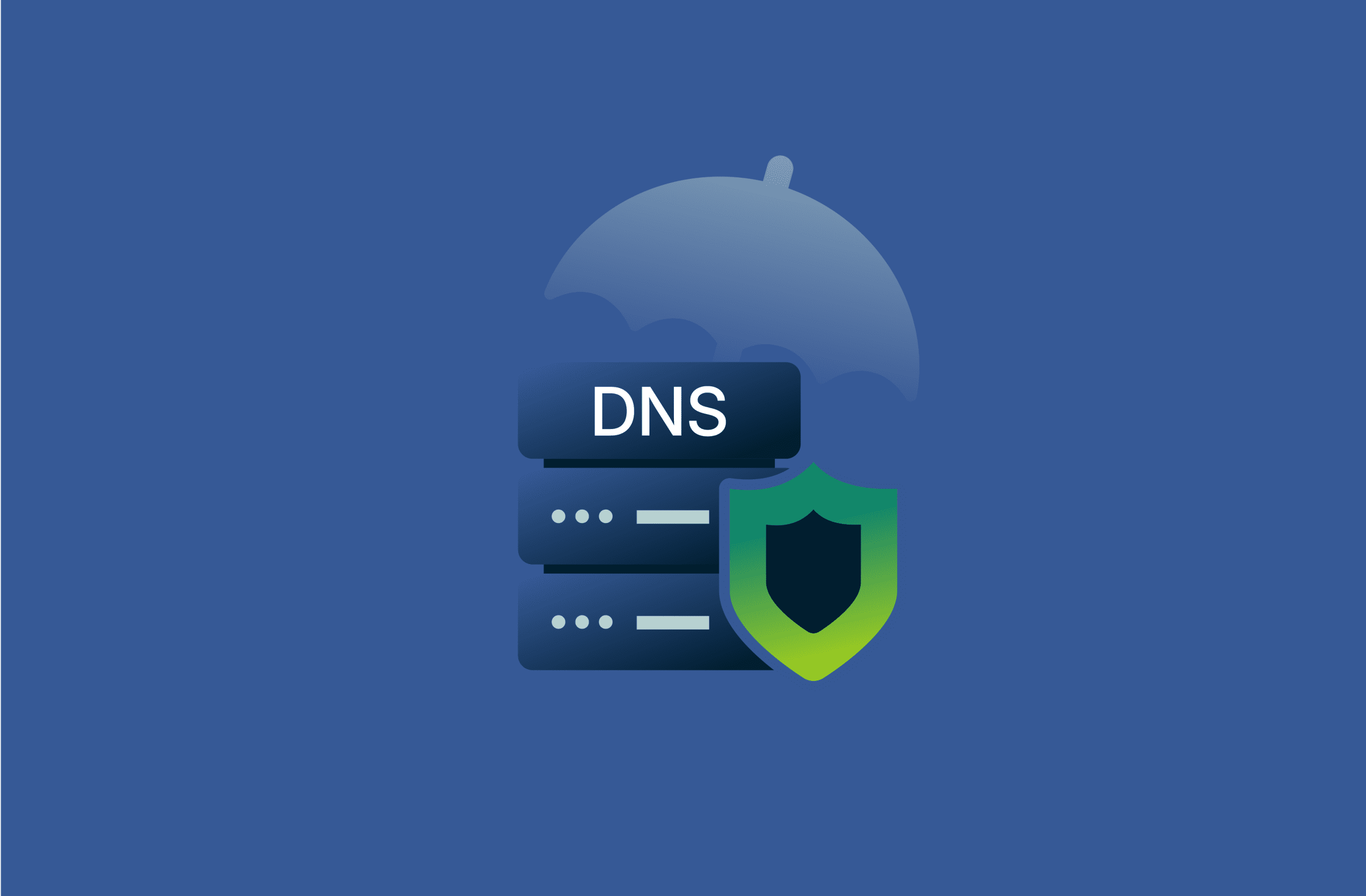
DNS security is an umbrella term encompassing a range of tools and practices designed to make the Domain Name System safer, helping networks, organizations, and individual users avoid threats like DNS hijacking and spoofing, or snooping of user activity.
DNS security takes various forms, all of which work in different ways to protect end users and networks. At a high level, DNS security measures work to protect the DNS infrastructure itself, validate the authenticity of DNS responses, and encrypt communication between clients and DNS servers. Additional measures may filter DNS requests and employ behavioral analysis to block threats like phishing and malware.
Why is DNS vulnerable?
DNS technology is vulnerable primarily because it was designed with accessibility and functionality in mind, rather than security. It’s a foundational, fundamental piece of internet infrastructure, too, making it a top target for cybercriminals, who can exploit weaknesses in the system to launch various sorts of attacks.
The two main DNS weaknesses include:
- Lack of encryption: DNS queries are generally unencrypted, which makes it easier for attackers to intercept and access them.
- Absence of authentication: DNS also does not usually verify that responses came from legitimate servers, allowing attackers to corrupt or modify DNS records.
DNS protection vs. DNS security: What’s the difference?
DNS protection and DNS security are often used interchangeably, but in technical writing aimed at professionals, they refer to distinct things.
DNS security is the broader of the two terms, referring to any and all measures used to make DNS more reliable and resilient to DNS-based attacks. Specifically, this can include DNS Security Extensions (DNSSEC) and encryption measures like DNS over TLS (DoT) and DNS over HTTPS (DoH).
Protective DNS (sometimes called DNS protection), on the other hand, is more specific, applying only to tools that prevent end users or networks from accessing malicious domains through content controls and filtering.
Why DNS security matters: Business and personal risks
DNS security is extremely important for protecting both business and home networks against numerous threats, including DNS hijacking, DNS spoofing, and malware infections.
DNS security is particularly important in the business world. Enterprises make good targets due to their size and the wealth of valuable data they handle. Companies of all sizes have to treat cybersecurity in general as a top priority, both for compliance reasons and for their long-term growth and survival.
Since the DNS is innately vulnerable, DNS security is invaluable for mitigating the risks of cyber attacks. Security tools also enable IT teams to exert more control over internet access in the workplace, blocking access to inappropriate sites.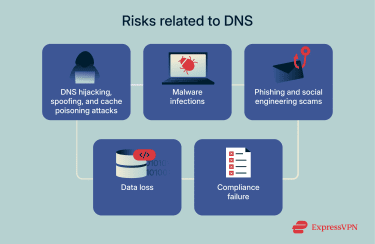
Individuals don’t need to invest as much in DNS protection as businesses, but home users can still benefit from virtual private networks (VPNs), secure resolvers, and other solutions. These can help them avoid falling into phishing traps or ending up on malicious sites.
Some VPN providers, such as ExpressVPN, offer tools that automatically block blacklisted domains. These tools can help individual users stay safe against certain types of malware, phishing attacks, and some other cyber threats by preventing access to known malicious websites.
Common DNS threats and attack types
Here are some of the most common kinds of DNS attacks to be aware of:
DNS spoofing
Also known as cache poisoning, DNS spoofing involves attackers corrupting the DNS cache, causing the DNS to respond with the wrong IP address for a given website. Often, these sites are designed to look just like the genuine site the user was trying to visit, so they can’t easily tell that they’re falling victim to a cyberattack.
Once they’ve landed on the attacker’s site, the victims may inadvertently give away personal data or download malware to their device. This is a particularly dangerous kind of DNS attack because corrupted cache data is difficult to spot and, depending on the attack itself, can last for some time before the cache gets refreshed.
DNS hijacking
DNS hijacking has the same outcome as DNS spoofing: it sends unsuspecting users to sites that they did not intend to visit. But behind the scenes, hijacking and spoofing work differently.
Rather than corrupting the cache, DNS hijacking occurs when attackers gain control of a DNS server itself or redirect users’ DNS requests to a malicious DNS server. This lets them consistently return fraudulent IP addresses for any domain, sending users to attacker-controlled destinations.
DNS tunneling
DNS tunneling isn’t an attack on DNS itself. Instead, it’s a technique attackers use to secretly send data out of a device they’ve already managed to compromise. This typically happens after the attacker finds and exploits a vulnerability in a system, such as a bug in a web application, that lets them run commands on the server.
Importantly, even though the attacker can execute commands, the server may still be tightly locked down in other ways. Many organizations configure their servers so that:
- Outgoing network connections are heavily restricted.
- The server can’t directly send data back to unknown destinations.
- Responses from attacker-run commands aren’t allowed to leave the network.
So the attacker has a strange situation: they can run commands on the server (because of the vulnerability), but they can’t see the results through normal channels (because of the strict security settings).
That’s where DNS tunneling comes in. Because DNS is essential for normal internet use, DNS requests are usually allowed to exit the network even in very restrictive environments. The attacker takes advantage of this by encoding information (like the output of a command) inside a DNS query. For example, if the command output is “admin,” the compromised server may be tricked into sending a DNS request for admin.attackersdomain.com.
That DNS request reaches the attacker’s DNS server, allowing them to read the hidden data. In this way, DNS becomes a covert communication channel that lets attackers bypass security controls and quietly exfiltrate information.
DNS amplification attacks
This is a sort of distributed denial-of-service (DDoS) attack that uses DNS servers to greatly increase the volume of traffic sent to a victim. The attacker sends very small DNS queries to open DNS resolvers but spoofs the victim’s IP address so that all replies go back to the victim instead of the attacker.
What makes this attack so powerful is the amplification effect. A DNS query can be extremely small, sometimes just a few dozen bytes, but the corresponding DNS response can be dozens of times larger. This means an attacker with limited bandwidth can generate a much larger amount of traffic toward the victim.
For example, an attacker might send thousands of tiny DNS requests every second. If each request triggers a DNS response that is significantly larger, the victim ends up receiving a flood of traffic far exceeding what the attacker could send directly. This magnified volume of DNS responses can overwhelm the victim’s network and systems, causing a denial-of-service.
NXDOMAIN attacks
NXDOMAIN attacks involve flooding a DNS server with multiple requests for records that don’t actually exist (NXDOMAIN is the error code that indicates a non-existent domain). The idea is that the requests will essentially soak up the system’s resources and cause denial-of-service for other legitimate requests, making DNS servers less responsive or even taking them offline.
Given that NXDOMAIN attacks require very large amounts of DNS requests, attackers often have to rely on botnets to pull them off.
Recognizing an attempted attack
Unfortunately, spotting DNS attacks isn’t always easy. In fact, depending on the type of attack, they can go unnoticed for extended periods due to their stealthy nature. Many involve malicious sites that are carefully designed to look legitimate, for example, or make tiny adjustments to DNS settings that are very difficult to spot unless you look in the right place.
With that said, there are still some warning signs to watch out for that can let you know if and when a DNS attack is ongoing. Knowing these is particularly important for website admins and IT leads at enterprises that manage their own DNS servers and records. Specialist DNS monitoring tools are best for spotting these warning signs, which may include:
- Random spikes in bandwidth consumption from specific machines or across the DNS server itself.
- Sudden changes in site performance or a site becoming inaccessible entirely without a clear reason.
How to secure your DNS traffic: Tips for home users
Here are some practical steps home users can take to secure their DNS traffic, including encrypted DNS, trusted resolvers, router hardening, and the use of VPNs.
Enable encrypted DNS (DoH or DoT)
Many major operating systems, including Windows, Mac, iOS, and Android, have built-in settings that allow you to set up private, encrypted DNS servers. Lots of major web browsers, too, offer at least some sort of secure DNS features, which you can find in their settings menus. Switching to a secure DNS option like DoT or DoH will make your DNS lookups much safer.
Use trusted DNS resolvers
Your default DNS (provided by your internet service provider, or ISP) may not do much in the way of filtering or encrypting DNS data, so it may be worth switching to a more secure alternative. Free options exist, like Quad9’s 9.9.9.9 and Cloudflare’s 1.1.1.2, and you can configure your resolver via your device’s network settings.
Secure your router and home network
Ensure your router and network are as secure as possible by setting unique, complex passwords and enabling the strongest security protocols available, like Wi-Fi Protected Access 3 (WPA3). Keeping your router's firmware updated should also help to address any security issues and disable unnecessary features that could put the network at risk, like remote management or Universal Plug and Play (UPnP).
Use a VPN to encrypt DNS requests
A VPN will encrypt all of your online traffic, and that includes DNS requests. So, as long as you have a VPN enabled on your device (or your entire network, if you set up a VPN on your router), then you won’t have to worry about your DNS queries being unencrypted and open to interception. Often, this is a more efficient method than just using DNS encryption, as a VPN encrypts the rest of your internet data as well.
DNS security solutions and tools for businesses
Along with the above-mentioned options, there are several more DNS security solutions to employ, primarily aimed at business networks and enterprise IT teams.
DNSSEC: Validating DNS integrity
DNS Security Extensions (DNSSEC) is a suite of security extensions that make the DNS safer. They work by adding digital signatures to DNS records in order to essentially prove that the records in question have not been tampered with in any way. They make it much harder for cybercriminals to conduct cache poisoning and similar attacks.
DNS firewalls and threat intelligence
A DNS firewall is a critical tool for DNS security. It acts as a barrier that checks DNS requests leaving your network. Using threat intelligence databases of known malicious or suspicious domains, it can block, filter, or redirect requests to prevent users and devices from reaching dangerous websites.
Cloud-based DNS protection services
Many large tech companies, including Google and Cloudflare, offer cloud-based DNS protection services for enterprises. As the name implies, these tools use cloud networks to filter malicious traffic, protect against various cyberattacks that target DNS, and optimize DNS performance.
Enterprise-grade DNS filtering solutions
Along with cloud-based tools, there are also desktop DNS filtering solutions for business usage. Like other DNS security solutions, they focus primarily on filtering each and every DNS request that leaves each device, verifying that the relevant DNS records haven’t been corrupted or tampered with and that the requested IP is safe to visit.
FAQ: Common questions about DNS security
What is the most common DNS attack?
Domain Name System (DNS) spoofing and DNS hijacking are some of the most common kinds of DNS attacks. Both of these techniques involve manipulating the DNS to redirect users to malicious websites. This, in turn, can lead to victims having their data stolen or devices compromised with malware infections.
How do I know if my DNS is compromised?
Common signs that your Domain Name System (DNS) may be compromised or under attack include recurring security warnings when browsing the web, unexpected redirects to sites you didn’t intend to visit, a sudden influx of ads and pop-ups, or delays to your internet speeds. Business users and network admins can also monitor DNS logs to spot signs of suspicious activity.
What’s the difference between DNSSEC and a DNS firewall?
DNS Security Extensions (DNSSEC) is a DNS security extension that essentially applies digital signatures to DNS records to ensure that they’re legitimate and haven’t been tampered with. A DNS firewall, meanwhile, is a security tool that automatically blocks access to malicious or suspicious websites. Both are crucial elements of DNS security but work in different ways.
Can DNS security stop phishing attacks?
Not entirely, but it can certainly make a big difference. Many phishing attacks work by sending users to fake websites, where they may be fooled into entering their personal details. Domain Name System (DNS) security tools, including VPNs, can automatically detect and block access to those kinds of sites, preventing users from falling into phishing traps.
Take the first step to protect yourself online. Try ExpressVPN risk-free.
Get ExpressVPN