Identity theft prevention: How to protect and monitor your personal information


Identity theft prevention starts with limiting how much of your personal information is exposed and watching for signs that someone is misusing it. ExpressVPN has tools for both.
To limit exposure, ExpressVPN encrypts your internet connection so people on shared networks like public Wi-Fi can’t read your traffic. Our password manager, ExpressKeys, generates and stores a unique password for every account, so a password leaked in one data breach can’t be used to sign into your other accounts and access the personal information in them. Those in the U.S. can also use Data Removal, one of the tools in Identity Defender (ExpressVPN’s identity protection app), to request the removal of their personal information from data broker sites.
To watch for misuse, Identity Defender monitors your credit, Social Security number (SSN), and other personal details, and alerts you if someone may be using them. Since personal information can still be exposed in data breaches at companies you deal with, these alerts give you time to act before more damage is done.

Please note: This information is for general educational purposes and not financial or legal advice.
Why identity theft prevention matters
Identity theft remains a widespread problem. In the U.S., the Federal Trade Commission (FTC) received 437,762 reports of identity theft only in the first quarter of 2026.
It’s also costly. Javelin Strategy & Research, a U.S. financial services research and consulting firm, found in its 2026 Identity Fraud Study that traditional identity fraud cost U.S. consumers $27.3 billion in 2025. The most severe cases cost far more: according to the 2025 Consumer Impact Report from the Identity Theft Resource Center (ITRC), a U.S. nonprofit that supports identity theft victims, more than 20% of victims who contacted the organization for help reported losses over $100,000, and more than 10% lost at least $1 million.
How to protect your personal information with ExpressVPN
ExpressVPN can reduce your risk of identity theft by limiting how much personal information is publicly available, securing your accounts and internet connection, and screening scam calls.
Remove your details from data broker sites with Data Removal
ExpressVPN Identity Defender’s Data Removal service performs regular scans on data broker and people-search sites for your personal information and submits removal requests on your behalf.
These data aggregators collect personal information, such as your full name, phone number, and home address, and make it available to third parties, like advertisers. Scammers can also exploit the information collected by these sites to make phishing attempts more convincing or guess answers to security questions.
If you’re in the U.S., you can find out what information data broker and people-search sites have on you right now with a free scan, even if you aren’t an ExpressVPN subscriber.
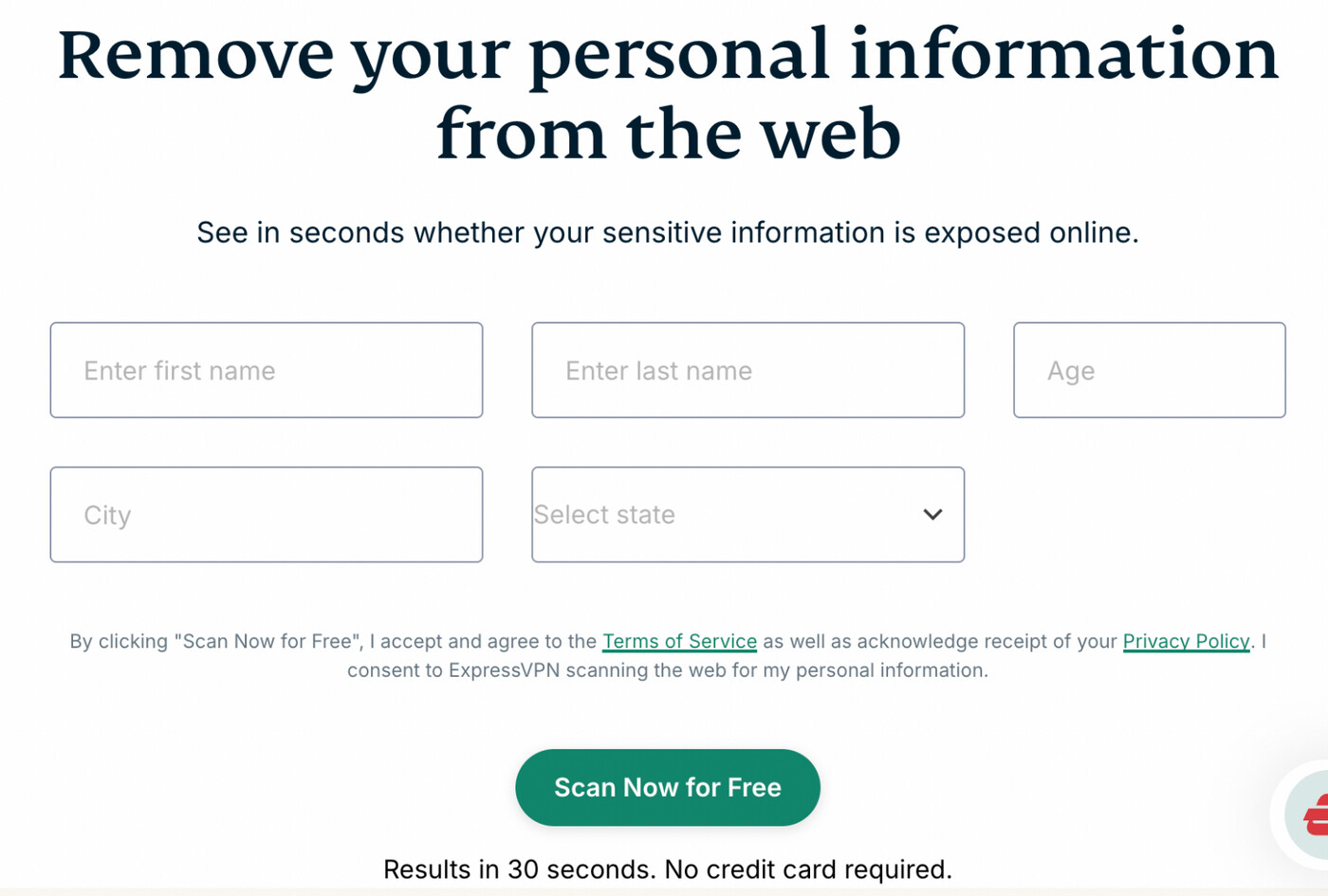
Submitting removal requests manually is possible, but it takes time, and personal information may reappear after it’s removed. Data Removal handles this for Advanced and Express Pro subscribers in the U.S. To set it up, sign into the Identity Defender app for Android or iOS, or the ExpressVPN+ dashboard, with your ExpressVPN account. Then follow the prompts and enter your phone number, email address, and date of birth. You can track the progress of each removal request from your dashboard, and Data Removal keeps monitoring these sites in case your information reappears.
Data aggregators may take anywhere from hours to months to honor removal requests. Additionally, some sites don't allow third-party tools to submit removal requests on your behalf. In those cases, Data Removal will provide links, simple step-by-step instructions, and templates to help you remove your information.
Create unique passwords and 2FA codes with ExpressKeys
ExpressKeys, our password manager, can reduce the risks associated with reused passwords. It’s included with the Advanced and Express Pro plans and is also available as a standalone subscription. Reusing passwords across multiple accounts puts them all at risk if one service suffers a data breach, as attackers may try compromised passwords on other sites to see if they can access more of your accounts.
ExpressKeys can help by:
- Generating, storing, and autofilling strong, unique passwords: Makes it easier to use a different, hard-to-guess password for every account without having to remember them all.
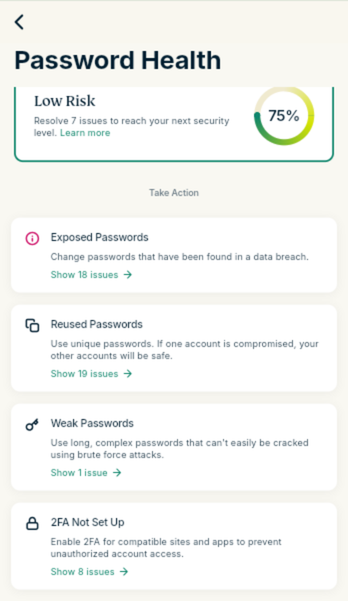
- Checking password strength: ExpressKeys’ Password Health feature alerts you when passwords stored in its vault are weak, reused, or have been exposed in a known data breach.
- Generating two-factor authentication (2FA) codes: ExpressKeys has a built-in authenticator that generates the one-time codes accounts ask for after your password, so you can keep these codes in the same app as your logins instead of a separate authenticator app.
- Creating, storing, and managing passkeys: Lets you sign into supported sites and services without a password, so there’s nothing to reuse, guess, or expose in a data breach.
Pro tip: If you’ve reused passwords across many accounts, start by changing the password for your primary email account, since it may be used to reset passwords for other services. Then secure your financial accounts and other ones containing sensitive information.
Encrypt your connection on public Wi-Fi with ExpressVPN
ExpressVPN encrypts the traffic between your device and the VPN server, which makes it more difficult to read or tamper with. This is especially useful for browsing on public Wi-Fi, as these networks are shared with strangers and may not be properly secured. It complements the protection offered by HTTPS, which encrypts communications between your device and sites and services using it.
A VPN alone won’t prevent phishing scams, malware downloads, or data breaches at other companies. ExpressVPN offers additional protection through Advanced Protection, which blocks connections to known malicious domains across your device while the VPN is connected, and Web Protection, which works through the ExpressVPN browser extension to block known harmful websites and specific malicious pages, even when the VPN is off. Both features can reduce your exposure to phishing.
Screen scam calls with Caller Identification
Express Pro subscribers in the U.S. can use Identity Defender’s Caller Identification feature, which flags or blocks suspected spam and scam calls. This helps you avoid engaging with threat actors who may use scam calls as a way to collect personal information.
To learn more about Caller Identification, see our support guide: How to use Caller Identification in Identity Defender.
How to monitor for identity theft
You can use Identity Defender to monitor your personal information and financial activity, helping you spot signs of potential identity theft early.
What ID Alerts and Credit Scanner monitor
ID Alerts is Identity Defender’s identity monitoring feature. It checks the dark web, public records, and connected financial accounts for signs that your personal information has been exposed or misused, through monitoring types such as SSN Monitoring and Dark Web Monitoring. When it detects a potential risk, it notifies you in the Identity Defender app and by email, along with recommended steps to take.
Credit Scanner is another Identity Defender feature. It tracks changes to your Experian credit profile, shows your credit score and the factors affecting it, alerts you to new accounts and inquiries, and provides a monthly credit report. Its Credit Protection screen also lists the details you need to request a credit freeze.
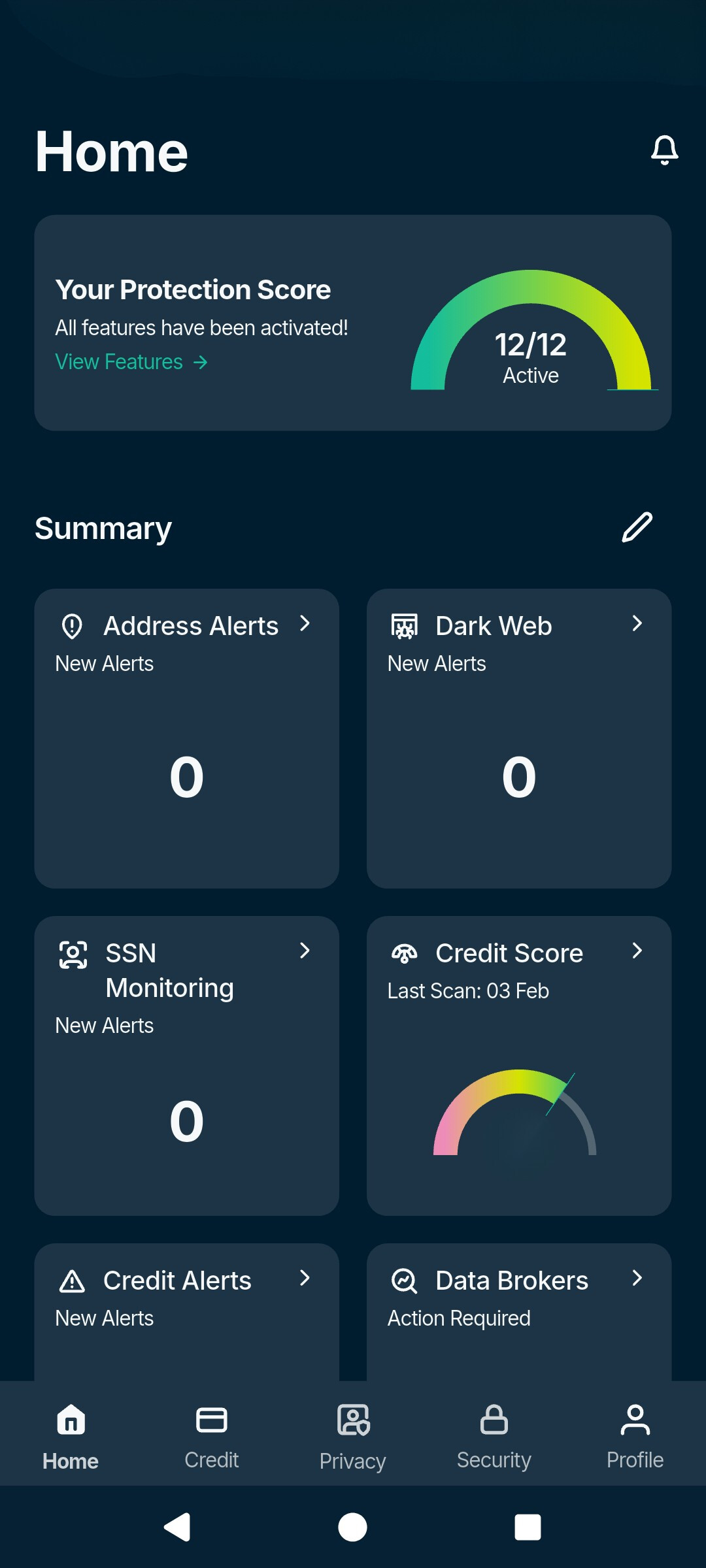
The following table outlines common warning signs of identity theft and which Identity Defender feature helps you monitor for them.
| Warning sign | Identity Defender feature that monitors it |
|---|---|
| An unfamiliar inquiry or account appears on your credit report | Credit Scanner |
| Your credit score drops unexpectedly | Credit Scanner |
| Large or suspicious transactions appear in your bank account | High-Risk Transaction Monitoring (ExpressPro only) |
| Your mailing address is changed without your knowledge | Change of Address Alerts |
| Your SSN is used for an unfamiliar loan, payment, or job | SSN Monitoring |
| Your personal details appear on the dark web | Dark Web Monitoring |
| An unfamiliar court record appears under your name | Court Records Monitoring (ExpressPro only) |
| Your home or vehicle title changes without your authorization | Home Title Monitoring and Auto Title Monitoring (ExpressPro only) |
| Unexpected withdrawals or access attempts appear on your 401(k) | 401(k) Alerts (ExpressPro only) |
Read more: How to check if someone is using your identity with ExpressVPN Identity Defender
What monitoring doesn't do
Identity Defender’s monitoring services can help you spot certain types of suspicious activity, but they don’t monitor every type of identity misuse. For example, they don’t monitor tax filings or medical claims made in your name. If there are specific reasons for concern, it’s still worth checking your bank and credit card statements, credit reports, bills and collection notices, and other relevant records yourself.
Identity Defender also doesn’t prevent a fraudster from opening a new credit account using your personal information. Credit Scanner alerts you once a new account or inquiry appears on your Experian credit profile.
Want to reduce your risk of identity theft?
ExpressVPN protects your personal information with secure password management, phishing protection, and encrypted connections. For eligible U.S. users, Identity Defender also helps remove personal details from data broker sites and monitors for signs of identity misuse.
Protect your identity with ExpressVPN
Identity Defender is available to eligible U.S. users with ExpressVPN Advanced and Express Pro plans.
FAQ
Can someone unfreeze my credit if they have my personal details?
What's the difference between a credit freeze and a credit lock?
Do I need identity theft monitoring if my credit is frozen?
Can someone steal my identity with just my name and address?
Is it safe to give my SSN to an identity monitoring service?
*The Identity Fraud Expense Reimbursement benefit is underwritten and administered by American Bankers Insurance Company of Florida, an Assurant company, under group or blanket policies issued to Policyholder or its respective affiliates for the benefit of its Members. Please refer to the actual policies for terms, conditions, and exclusions of coverage. Coverage may not be available in all jurisdictions. Review the Advanced Tier Summary of Benefits and the Express Pro Tier Summary of Benefits.